리눅스
우분투 24.04에서 Couchbase를 설치하는 방법
변군이글루
2026. 1. 11. 11:08
반응형
우분투 24.04에서 Couchbase를 설치하는 방법
Couchbase는 "비상업적 용도의 개발 및 테스트(Development and Testing)" 환경에서는 노드 수나 기간 제한 없이 EE의 모든 기능을 무료로 사용할 수 있도록 허용합니다.
테스트 환경
운영체제 정보
$ lsb_release -d
Description:    Ubuntu 24.04.1 LTS
Enterprise Edition 설치
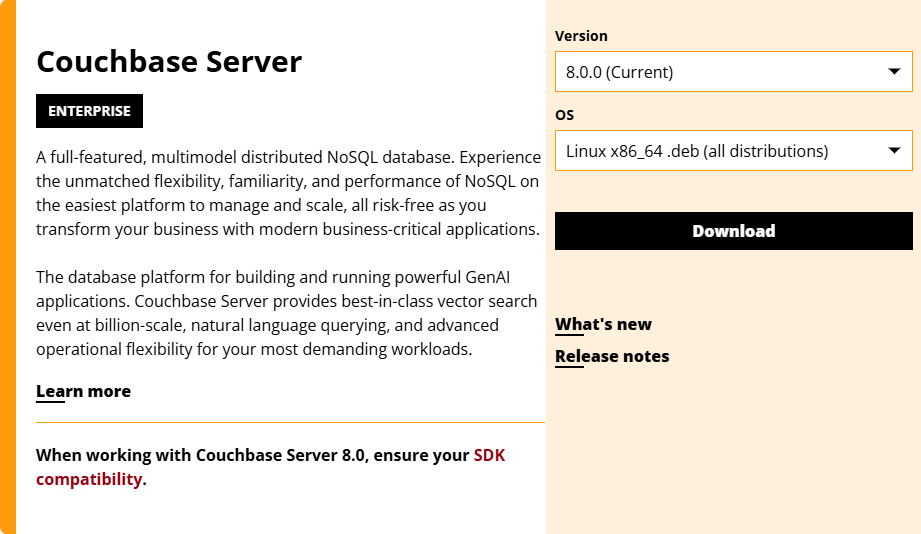
1. 최신 버전으로 다운로드
wget https://packages.couchbase.com/releases/8.0.0/couchbase-server-enterprise_8.0.0-linux_amd64.deb2. 의존설 패키지 설치
sudo apt install -f3. 패키지 설치
sudo dpkg -i couchbase-server-enterprise_8.0.0-linux_amd64.deb더보기
---
Selecting previously unselected package couchbase-server.
(Reading database ... 83641 files and directories currently installed.)
Preparing to unpack couchbase-server-enterprise_8.0.0-linux_amd64.deb ...
Warning: Transparent hugepages looks to be active and should not be.
Please look at https://docs.couchbase.com/server/8.0/install/thp-disable.html as for how to PERMANENTLY alter this setting.
Warning: Swappiness is not set to 1 or 0.
Please look at https://docs.couchbase.com/server/8.0/install/install-swap-space.html as for how to PERMANENTLY alter this setting.
Minimum RAM required  : 4 GB
System RAM configured : 3.82 GB

Minimum number of processors required : 4 cores
Number of processors on the system    : 4 cores
Unpacking couchbase-server (8.0.0-3777-1) ...
Setting up couchbase-server (8.0.0-3777-1) ...

You have successfully installed Couchbase Server.
Please browse to http://cb1:8091/ to configure your server.
Refer to https://docs.couchbase.com for additional resources.

Please note that you have to update your firewall configuration to
allow external connections to a number of network ports for full
operation. Refer to the documentation for the current list:
https://docs.couchbase.com/server/8.0/install/install-ports.html

By using this software you agree to the End User License Agreement.
See /opt/couchbase/LICENSE.txt.

Created symlink /etc/systemd/system/multi-user.target.wants/couchbase-server.service → /usr/lib/systemd/system/couchbase-server.service.
Processing triggers for libc-bin (2.39-0ubuntu8.6) ...
---
4. 잠재적인 의존성 문제 해결
sudo apt --fix-broken install728x90
서비스 활성화 및 실행
sudo systemctl enable --now couchbase-server서비스 재실행
sudo systemctl restart couchbase-server상태 확인
sudo systemctl status couchbase-servercouchbase 로그 디렉토리
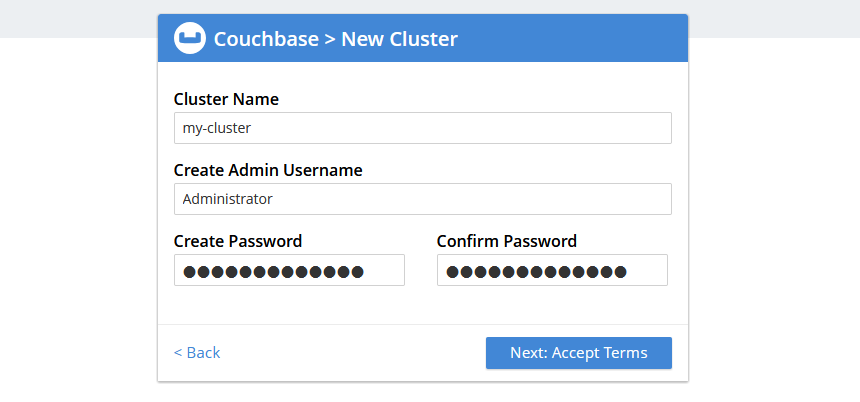
cd /opt/couchbase/var/lib/couchbase/logs브라우저에서 웹 콘솔 접속
접속 URL
http://[서버IP]:8091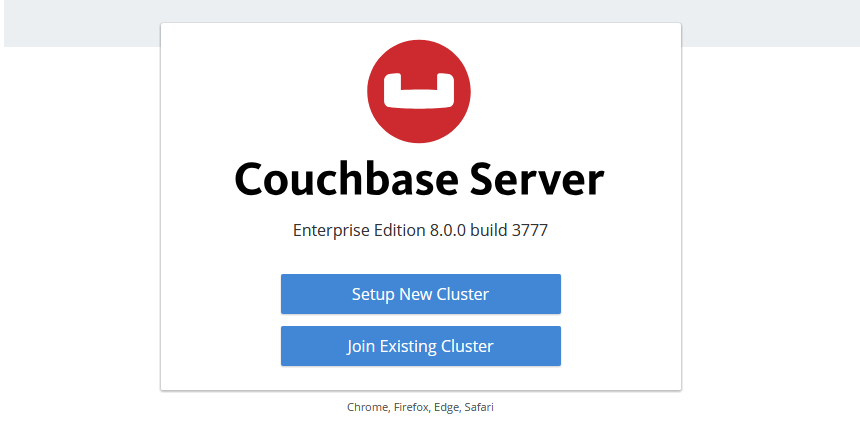

패키지 삭제
sudo systemctl disable --now couchbase-server

sudo apt remove --purge couchbase-server

sudo rm -rf /opt/couchbase/var/lib/couchbase/{logs,config}/

sudo rm -rf /opt/couchbase

sudo rm -f /etc/security/limits.d/couchbase.conf

sudo rm -f /etc/sysctl.d/99-couchbase.conf
참고URL
- Couchbase : Couchbase Server Downloads
728x90
반응형