728x90
반응형
우분투 24.04에 단일 노드 Elasticsearch와 Kibana를 설치하는 방법
테스트 환경
운영체제 정보
$ lsb_release -d
Description:	Ubuntu 24.04.1 LTS
시스템 최적화
메모리 제한 증가
echo "vm.max_map_count=262144" | sudo tee -a /etc/sysctl.conf
sudo sysctl -p
파일 디스크립터 제한 증가
echo "elasticsearch - nofile 65535" | sudo tee -a /etc/security/limits.conf
echo "elasticsearch - memlock unlimited" | sudo tee -a /etc/security/limits.conf
더보기
---
Java 설치
cd /usr/local/src
wget https://download.oracle.com/java/21/latest/jdk-21_linux-x64_bin.tar.gz
tar xfz jdk-21_linux-x64_bin.tar.gz
mv jdk-21.* /usr/local/.
sudo ln -sfn $(ls -d /usr/local/jdk-21* 2>/dev/null | sort -V | tail -n 1) /usr/local/java
sudo ln -sf /usr/local/java/bin/java /usr/bin/java
Timezone 설정
echo "Asia/Seoul" | sudo tee /etc/timezone환경 변수 설정
cat <<'EOF' >> /etc/profile
### Java 21 설정
export JAVA_HOME=/usr/local/java
export PATH=$PATH:$JAVA_HOME/bin
EOF
source /etc/profile버전 정보
java --versionjava 21.0.9 2025-10-21 LTS
Java(TM) SE Runtime Environment (build 21.0.9+7-LTS-338)
Java HotSpot(TM) 64-Bit Server VM (build 21.0.9+7-LTS-338, mixed mode, sharing)---
1. Elasticsearch 설치
wget https://artifacts.elastic.co/downloads/elasticsearch/elasticsearch-8.12.2-amd64.deb
wget https://artifacts.elastic.co/downloads/elasticsearch/elasticsearch-8.12.2-amd64.deb.sha512
shasum -a 512 -c elasticsearch-8.12.2-amd64.deb.sha512
sudo dpkg -i elasticsearch-8.12.2-amd64.deb
더보기
---
--------------------------- Security autoconfiguration information ------------------------------

Authentication and authorization are enabled.
TLS for the transport and HTTP layers is enabled and configured.

The generated password for the elastic built-in superuser is : 2=U6c+LDJzh3Qxay90Kp

If this node should join an existing cluster, you can reconfigure this with
'/usr/share/elasticsearch/bin/elasticsearch-reconfigure-node --enrollment-token <token-here>'
after creating an enrollment token on your existing cluster.

You can complete the following actions at any time:

Reset the password of the elastic built-in superuser with
'/usr/share/elasticsearch/bin/elasticsearch-reset-password -u elastic'.

Generate an enrollment token for Kibana instances with
 '/usr/share/elasticsearch/bin/elasticsearch-create-enrollment-token -s kibana'.

Generate an enrollment token for Elasticsearch nodes with
'/usr/share/elasticsearch/bin/elasticsearch-create-enrollment-token -s node'.

-------------------------------------------------------------------------------------------------
### NOT starting on installation, please execute the following statements to configure elasticsearch service to start automatically using systemd
 sudo systemctl daemon-reload
 sudo systemctl enable elasticsearch.service
### You can start elasticsearch service by executing
 sudo systemctl start elasticsearch.service
---
Elasticsearch 설정
더보기
---
$ sudo cat /etc/elasticsearch/elasticsearch.yml | egrep -v "^#|^$"
path.data: /var/lib/elasticsearch
path.logs: /var/log/elasticsearch
xpack.security.enabled: true
xpack.security.enrollment.enabled: true
xpack.security.http.ssl:
  enabled: true
  keystore.path: certs/http.p12
xpack.security.transport.ssl:
  enabled: true
  verification_mode: certificate
  keystore.path: certs/transport.p12
  truststore.path: certs/transport.p12
cluster.initial_master_nodes: ["ubuntu2404"]
http.host: 0.0.0.0
---
설정 파일 백업
sudo cp /etc/elasticsearch/elasticsearch.yml /etc/elasticsearch/elasticsearch.yml_$(date '+%Y%m%d_%H%M%S')설정 파일 수정
sudo vim /etc/elasticsearch/elasticsearch.ymlcluster.name: my-application
node.name: node-1
path.data: /var/lib/elasticsearch
path.logs: /var/log/elasticsearch
bootstrap.memory_lock: true
network.host: 0.0.0.0
http.port: 9200
xpack.security.enabled: true
xpack.security.enrollment.enabled: true
xpack.security.http.ssl:
enabled: true
keystore.path: certs/http.p12
xpack.security.transport.ssl:
enabled: true
verification_mode: certificate
keystore.path: certs/transport.p12
truststore.path: certs/transport.p12
# 단일 노드 클러스터로 구성
discovery.type: single-node
http.host: 0.0.0.0서비스 시작
sudo systemctl daemon-reload
sudo systemctl enable --now elasticsearch.service
서비스 재시작
sudo systemctl restart elasticsearch.service상태 확인
sudo systemctl status elasticsearch프로세스 확인
ps aux | grep -v grep | |grep elasticsearch포트 확인
sudo netstat -tlnp | grep 9200로그 확인
sudo journalctl -u elasticsearch -f --no-pagersudo tail -f /var/log/elasticsearch/my-elasticsearch-cluster.logElasticsearch 패스워드 재설정
sudo /usr/share/elasticsearch/bin/elasticsearch-reset-password -u elasticsudo /usr/share/elasticsearch/bin/elasticsearch-reset-password -u elastic -iElasticsearch 접속 테스트
curl -k -u elastic:2=U6c+LDJzh3Qxay90Kp https://localhost:9200{
"name" : "node-1",
"cluster_name" : "my-application",
"cluster_uuid" : "Mjd-Hur1QFa29H_W3ambBg",
"version" : {
"number" : "8.12.2",
"build_flavor" : "default",
"build_type" : "deb",
"build_hash" : "48a287ab9497e852de30327444b0809e55d46466",
"build_date" : "2024-02-19T10:04:32.774273190Z",
"build_snapshot" : false,
"lucene_version" : "9.9.2",
"minimum_wire_compatibility_version" : "7.17.0",
"minimum_index_compatibility_version" : "7.0.0"
},
"tagline" : "You Know, for Search"
}728x90
2. Kibana 설치
wget https://artifacts.elastic.co/downloads/kibana/kibana-8.12.2-amd64.deb
sudo dpkg -i kibana-8.12.2-amd64.deb
kibana_system 패스워드 재설정
sudo /usr/share/elasticsearch/bin/elasticsearch-reset-password -u kibana_system더보기
---
KIBANA_PASS=$(sudo /usr/share/elasticsearch/bin/elasticsearch-reset-password -u kibana_system -b | grep "New value:" | awk '{print $3}')---
This tool will reset the password of the [kibana_system] user to an autogenerated value.
The password will be printed in the console.
Please confirm that you would like to continue [y/N]y

Password for the [kibana_system] user successfully reset.
New value: A+3xqTsj7RwLaiAOIZCf
kibana_system 사용자로 Elasticsearch 접속 테스트
curl -k -u kibana_system:A+3xqTsj7RwLaiAOIZCf https://localhost:9200인증서 파일 확인
sudo ls -la /etc/elasticsearch/certs/http_ca.crtkibana 사용자를 elasticsearch 그룹에 추가
sudo usermod -a -G elasticsearch kibanaKibana 설정
더보기
---
$ sudo cat /etc/kibana/kibana.yml | egrep -v "^#|^$"
logging:
  appenders:
    file:
      type: file
      fileName: /var/log/kibana/kibana.log
      layout:
        type: json
  root:
    appenders:
      - default
      - file
pid.file: /run/kibana/kibana.pid
---
설정 파일 백업
sudo cp /etc/kibana/kibana.yml /etc/kibana/kibana.yml_$(date '+%Y%m%d_%H%M%S')설정 파일 수정
sudo vim /etc/kibana/kibana.ymlserver.port: 5601
server.host: "0.0.0.0"
server.publicBaseUrl: "http://192.168.10.100"
server.name: "ubuntu2404"
elasticsearch.hosts: ["https://localhost:9200"]
elasticsearch.username: "kibana_system"
elasticsearch.password: "A+3xqTsj7RwLaiAOIZCf"
elasticsearch.ssl.certificateAuthorities: [ "/etc/elasticsearch/certs/http_ca.crt" ]
elasticsearch.ssl.verificationMode: full
logging:
appenders:
file:
type: file
fileName: /var/log/kibana/kibana.log
layout:
type: json
root:
appenders:
- default
- file
pid.file: /run/kibana/kibana.pid서비스 시작
sudo systemctl daemon-reload
sudo systemctl enable --now kibana
서비스 재시작
sudo systemctl restart kibana상태 확인
sudo systemctl status kibana프로세스 확인
ps aux | grep -v grep | grep kibana포트 확인
sudo netstat -tlnp | grep 5601로그 확인
sudo journalctl -u kibana -fsudo tail -f /var/log/kibana/kibana.log버전 정보 확인
Elasticsearch 버전 정보
/usr/share/elasticsearch/bin/elasticsearch --versionVersion: 8.12.2, Build: deb/48a287ab9497e852de30327444b0809e55d46466/2024-02-19T10:04:32.774273190Z, JVM: 21.0.2Kibana 버전 정보
/usr/share/kibana/bin/kibana --version --allow-root | tail -18.12.2브라우저에서 접속
http://[서버IP]:5601- Username : elastic
- Password : Elasticsearch 설치시 생성된 패스워드
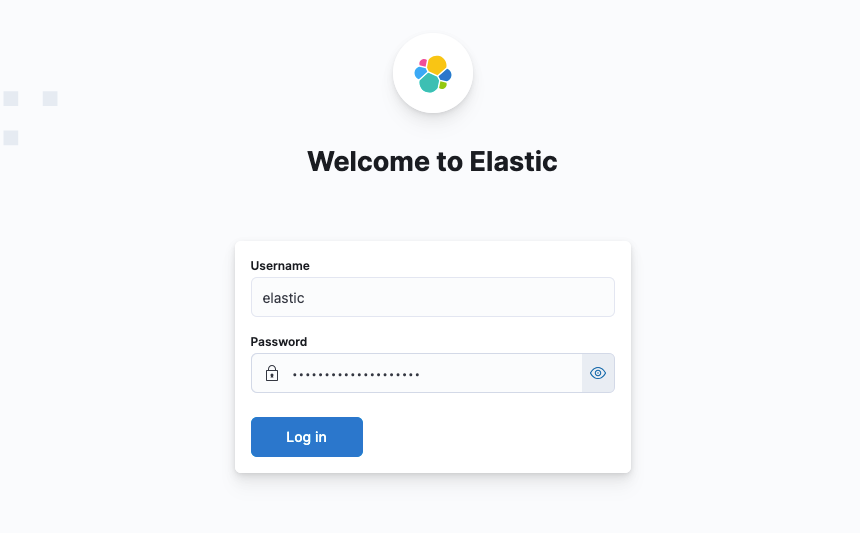
3. 패키지 삭제
sudo systemctl stop elasticsearch kibana
sudo apt remove --purge elasticsearch kibana

sudo rm -rf /var/lib/elasticsearch/
sudo rm -rf /var/lib/kibana/

sudo rm -rf /etc/elasticsearch/
sudo rm -rf /etc/kibana/
참고URL
- elastic past releases : https://www.elastic.co/downloads/past-releases
728x90
반응형
'리눅스' 카테고리의 다른 글
| 우분투 24.04에서 Couchbase를 설치하는 방법 (0) | 2026.01.11 |
|---|---|
| 우분투 24.04에서 최신 버전 Elasticsearch와 Kibana를 설치하는 방법 (0) | 2026.01.09 |
| 우분투 22.04에서 DHCP 서버를 구축하는 방법 (0) | 2026.01.05 |
| 리눅스 truncate 명령어 사용법 정리 (0) | 2026.01.02 |
| MongoDB Extension 버전을 다운그레이드하는 방법 (0) | 2026.01.02 |


