728x90
반응형
AWS ALB(Application Load Balancer)에서 고정 세션(Sticky Session, Session Affinity)을 설정하는 방법
EC2 콘솔
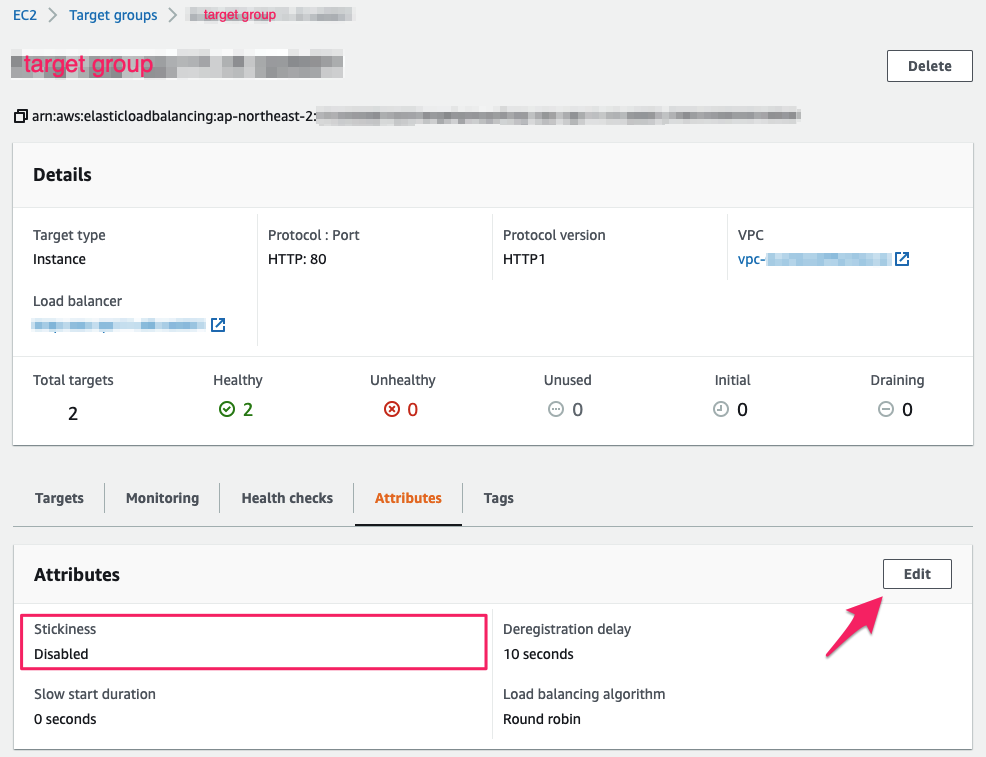
EC2 대시보드 > 로드 밸런서 > 대상 그룹 > 대상 그룹 선택 후 속성
Attributes 탭
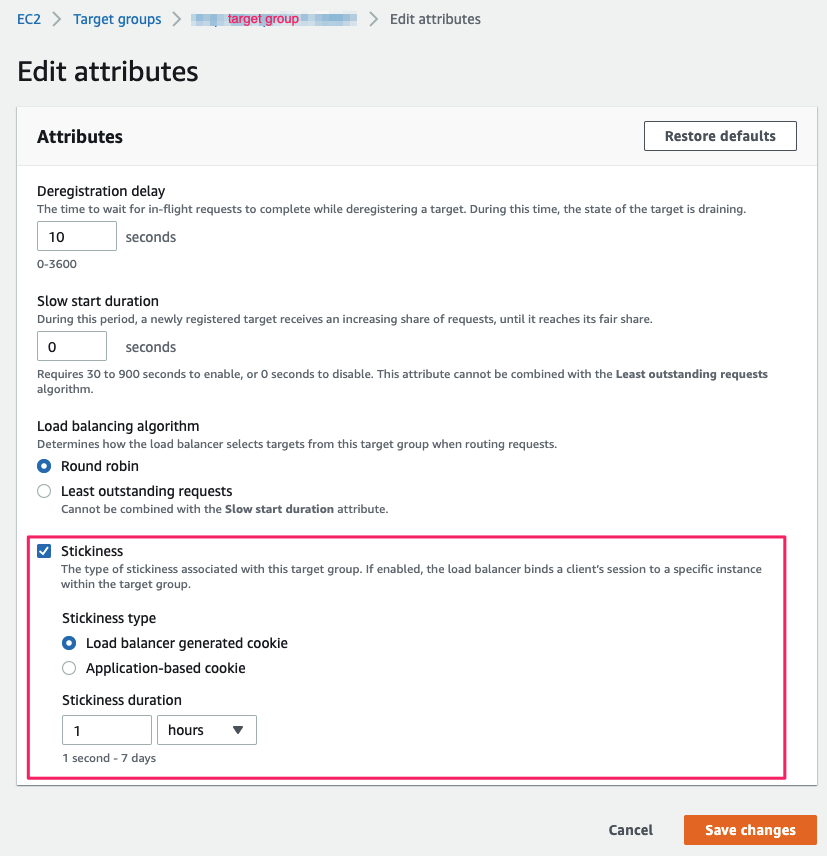
- Stickiness 설정
설정 값
- Stickiness : Enabled
- Stickiness type : Load balancer generated cookie
- Stickiness duration : 예) 300 (초, 최대 7일)
728x90
AWS CLI 설정 예제
ALB 쿠키 방식
aws elbv2 modify-target-group-attributes \
  --target-group-arn arn:aws:elasticloadbalancing:... \
  --attributes \
    Key=stickiness.enabled,Value=true \
    Key=stickiness.type,Value=lb_cookie \
    Key=stickiness.lb_cookie.duration_seconds,Value=300
애플리케이션 쿠키 방식
aws elbv2 modify-target-group-attributes \
  --target-group-arn arn:aws:elasticloadbalancing:... \
  --attributes \
    Key=stickiness.enabled,Value=true \
    Key=stickiness.type,Value=app_cookie \
    Key=stickiness.app_cookie.cookie_name,Value=JSESSIONID \
    Key=stickiness.app_cookie.duration_seconds,Value=300
참고URL
- AWS Documentation : Application Load Balancer란 무엇입니까?
728x90
반응형
'퍼블릭 클라우드' 카테고리의 다른 글
| Amazon SES를 사용하여 이메일 전송 테스트를 수행하는 방법 (0) | 2021.09.15 |
|---|---|
| 리눅스에서 Amazon SES를 이용한 이메일 테스트하는 방법 (0) | 2021.09.14 |
| Amazon EC2 파일 시스템 확장 (0) | 2021.08.10 |
| AWS CloudFront와 ALB에 SSL 적용 (0) | 2021.08.09 |
| [AWS] AWS Billing and Cost Management 콘솔에 대한 IAM 사용자 및 역할 액세스를 활성화 (0) | 2021.08.09 |


